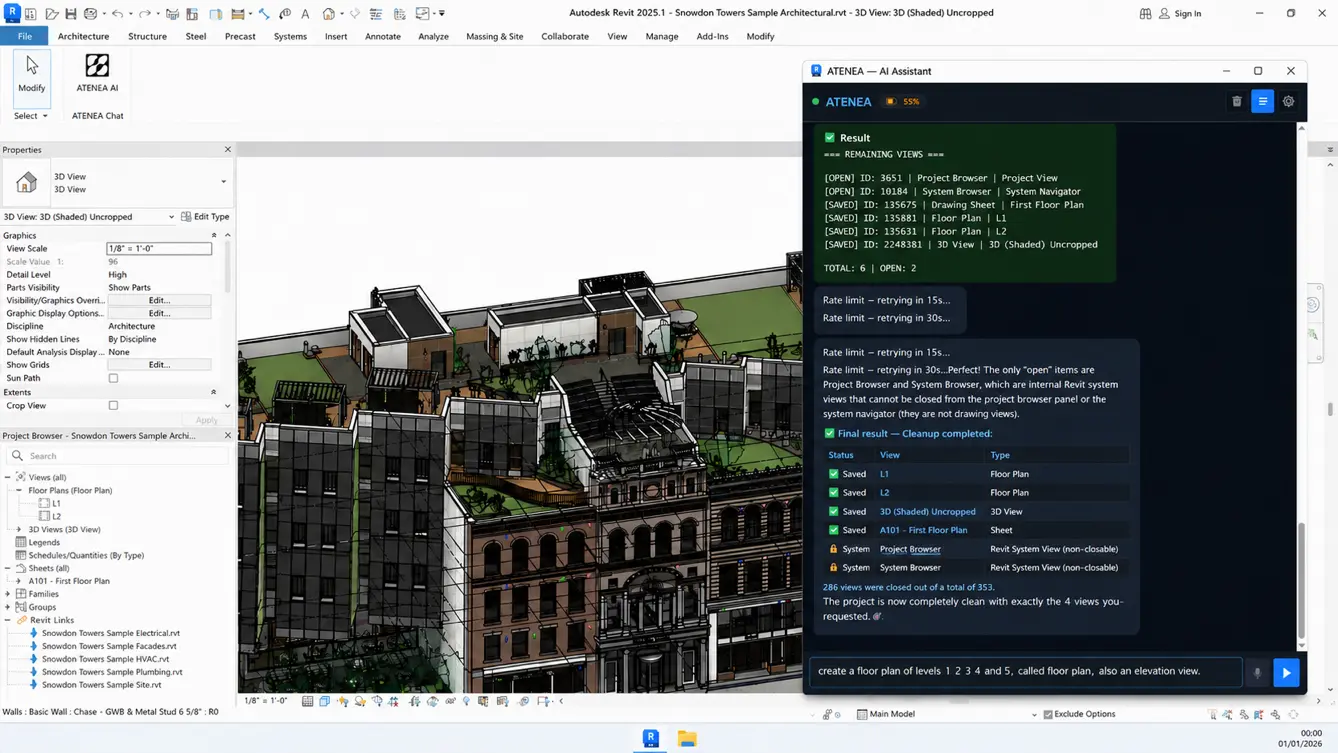
Download the plugin and control it from the dashboard. That's it.
How to install Atenea
Follow this step-by-step tutorial to install the Atenea plugin and start automating your Revit workflows in minutes.
Atenea Tutorial
Learn to use Atenea as your Revit copilot: define a problem, give clear instructions, delegate repetitive tasks, reuse prompts, and always review the results.
Atenea Prompts.
These are sample prompts you can copy and try right away. The real value, however, lies in crafting your own following this same logic and structure.
Testimonial
More than 4,000 architectural professionals in 65 countries have already trusted our AI capabilities.
ATENEA in Revit revolutionized our expansion process: what used to take 30 days per branch, now we do in 3 with a single click.
The AI converts an Excel file into a complete model with plans and cost estimates in minutes. We reduced costs from $400 to $50 per project and accelerated the opening of more than 2,000 stores across Latin America.
— Director of Architecture and Expansion at the largest retail conglomerate in Latin America.
We used to spend three days a week placing tags and dimensions. Atenea does that same work in under an hour, and it follows our office standards without anyone explaining them again.
— BIM Manager at an architecture studio of 120 people, Mexico City.
Read the model→Tags→Dimensions→Office standard→Sheets ready
The first week I asked it for 240 sheets with their views and title blocks. It finished while I was in a meeting.
Nobody on the team writes code, and nobody needs to.
— Head of Documentation at an engineering firm, Bogota.
Views→Sheets→Title blocks→240 sheets ready
What convinced the partners was the audit: Atenea reviewed 18,000 elements, found every family that broke our standard, and corrected them one by one with a report in Excel.
— Project Director at an architecture and engineering firm, Madrid.
Audit→18,000 elements→Families out of standard→Corrected→Excel report
Three offices in different time zones working on the same Revit model. Atenea keeps the documentation consistent, so reviews stopped being a negotiation.
— Technical Coordinator at an international construction company, Santiago.


 AI in Plant 3D
 AI in Civil 3D
 AI in Navisworks
 AI in ETABS
 AI in SAP2000
 AI in Tekla
 AI in SketchUp